
Subjects
We have developed a new feature to help manage recurring modules or curriculums for students. Each Subject controls due dates, validity, and reassignment timing.
Located on the Content tab, you can find Subjects.
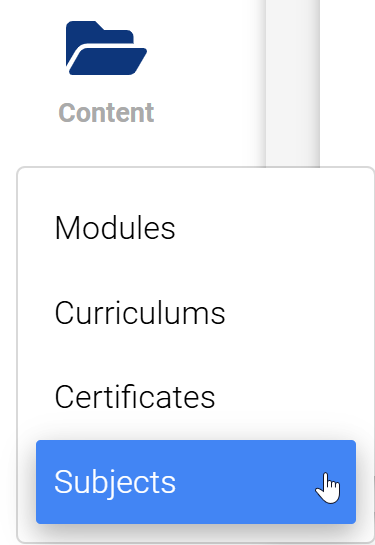
Step 1.
Create and manage subjects as a registrar in /main/subjects. Create a subject name, choose a containing module/curriculum, set an expiry, validity, due date, and recurrent date, and adjust what is shown on the student desk.
Step 2.
Assign subjects through the normal module assignment flow (There will be a new subjects section.) located at the bottom of the assignment page.
Step 3.
Track the user process either through reports or on the subjects dashboard at /main/subjects, using the Users column in the Subject table.
Step 4.
Edit the subject as needed, and deactivate it when you are ready to stop the re-assignment cycle. Once all users have finished their current assignment cycle, they can be withdrawn and the subject deleted (deactivating will prevent reassignment).
Date calculation details:
- On the initial assignment of the subject, the containing course is assigned.
- The due date is calculated based on due date settings added to the initial assignment date.
- On completion, an expiry date is calculated.
- Based on the expiry, a valid-until date and a re-assignment date are calculated.
- On the re-assignment date, the flow resets.
Caveats:
- Initial assignment of a subject will always assign the contained module/curriculum, even if the user has already completed it.
- Using “custom expiry date” or “retain expiry date” without setting the expiry to a 1-year interval (1yr, 2yr, 3yr, etc.) will cause significant assignment date drift between re-assignment dates.
The Lists Subjects dashboard gives you a breakdown of the following details:
- Subject name
- Type (Module or Curriculum)
- Users (Active)
- Due date
- Reassignment Date
- Valid Date
- Expiry
- Student Desk (Valid until/Expiry)
- Status
- Limit (how many times to assign)
- Created date
- Actions (Edit/Delete)
Note: Subjects are not to be mixed with Qualifications. These are two separate features that track different items and dates.